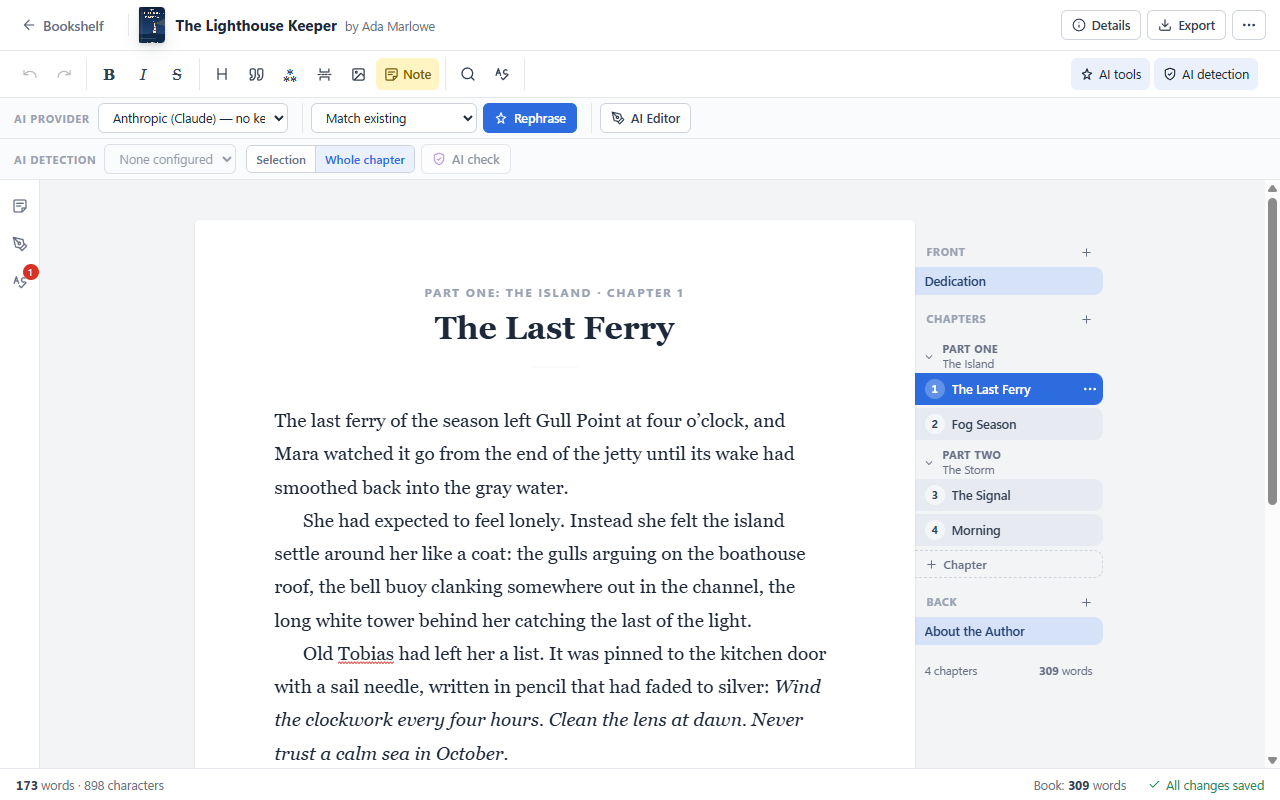
Emberforge turns your manuscript into a print-ready PDF interior, free, on your own computer. No account, no subscription, and nothing uploaded.
Emberforge 1.14.2 for Windows 10 and 11. Free to use in Basic mode with no time limit; every feature is free for the first 15 days. No account needed. Download from Europe
Everything here stays free for as long as you use Emberforge.
Import a Word file, OpenDocument, EPUB, PDF, Markdown or text. Emberforge finds the chapters, parts and front matter, and you review them before anything is created.
Pick the same size you choose at your print service. Margins and the gutter are set for you: the inside margin grows with the page count, meeting the minimums Kindle Direct Publishing lists.
Fonts are embedded, and the title page, page numbers and running heads are in place. Upload the PDF as your interior, then check it in the service’s previewer.
For the first 15 days every feature is free. Afterwards Basic mode keeps working and your books are never deleted; the full version keeps the rest.
Yes. Basic mode has no time limit and no watermark on your pages. Books made in Basic mode carry a small “Created and Typeset with Emberforge” line on the copyright page and a “Built with Emberforge” logo on the title page; the full version lets you leave them out.
Emberforge makes PDFs with embedded fonts at standard trim sizes, which print-on-demand services such as KDP and IngramSpark accept. Choose the same trim size at the service, and check its previewer before you publish.
EPUB e-books are part of the full version, and free for the first 15 days. In Basic mode you can export Word, OpenDocument, Markdown and text files as well as the print PDF.
No. There is no account with us. Download the installer, run it, and start writing. Your books stay in your Documents folder.
Emberforge 1.14.2 for Windows 10 and 11. Free to use in Basic mode with no time limit; every feature is free for the first 15 days. No account needed. Download from Europe
More guides: A Vellum alternative for Windows · Format a KDP paperback on Windows