XN3 Technologies
Emberswarm

Share files with no one watching.

Emberswarm is a free, open-source BitTorrent client for Windows. Your downloads, settings and history stay on your own computer. There are no ads, no accounts and no telemetry, and nothing connects to the internet until you say so.

Version 1.0.5 · Windows 11 (64-bit) · Free software under the GNU GPL, version 3 or later
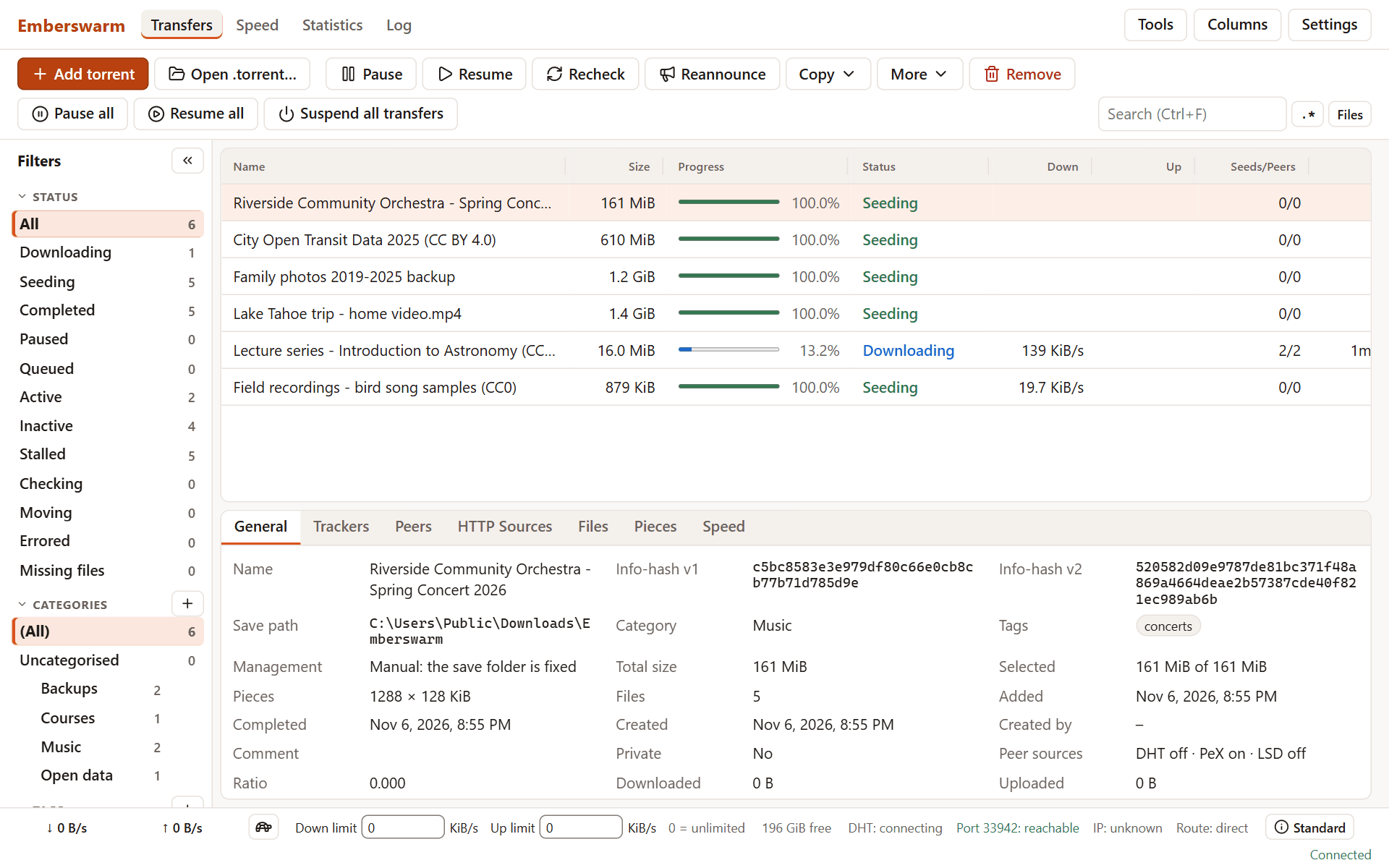
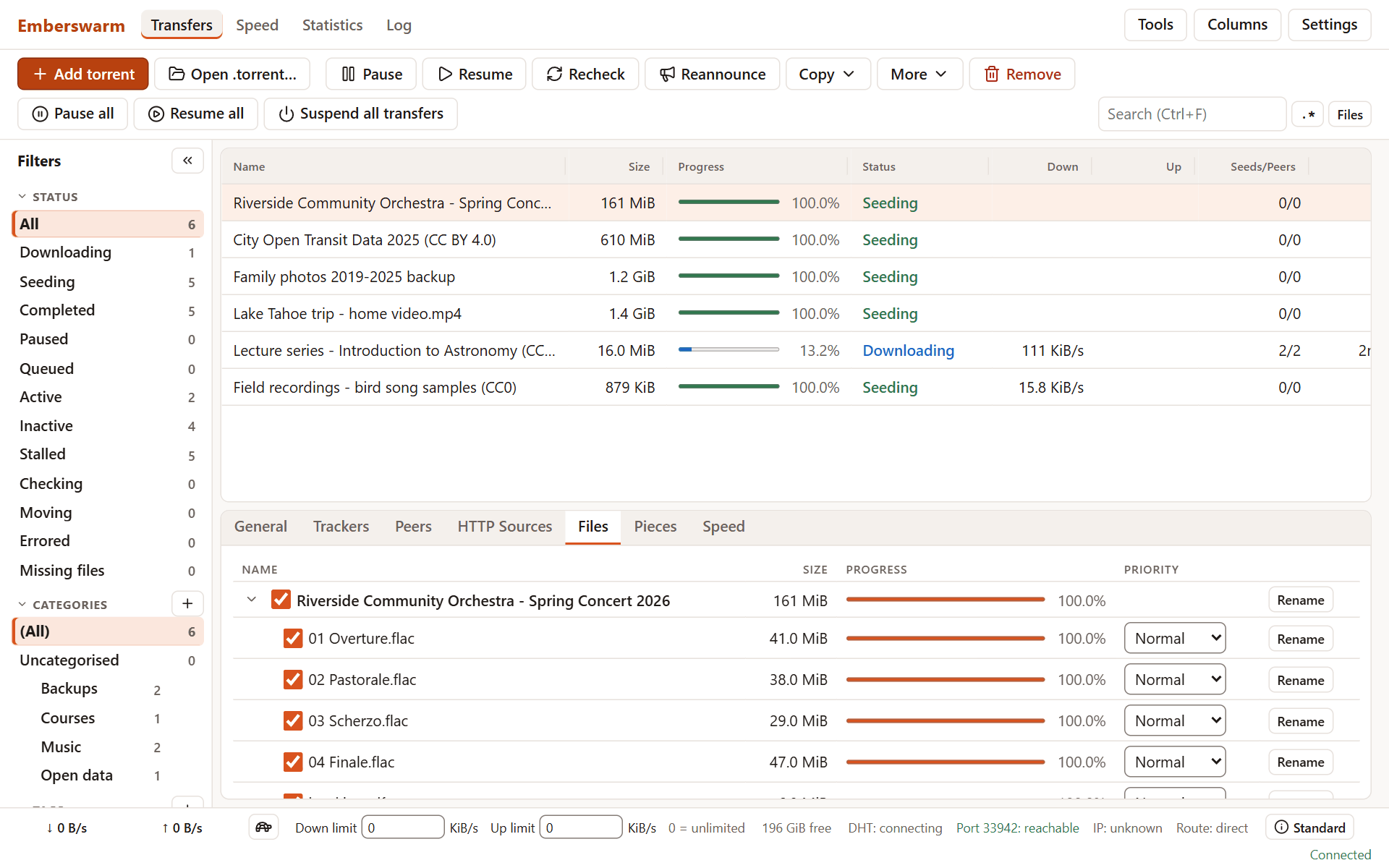
The Emberswarm window: a list of transfers with their progress and status, filters by status and category on the left, and the details of the selected transfer below

Yours, and nobody else’s

Most torrent apps pay for themselves with ads, bundled offers or your data. Emberswarm has none of that, and it is built to keep it that way.

No cloud

Data moves only between your computer and the peers, trackers and sites you chose. We run no servers for it: no relays, no hosted search, no pairing service and no account to sign in to.

No ads or upsells

No advertising, bundled software, crypto mining, paid tiers or affiliate VPN offers. Every feature is in the free download, because there is only the free download.

Privacy you can check

Choose a privacy profile and Emberswarm checks its own connections every two seconds. The status badge turns red if anything leaves outside the route you picked.

Off until you turn it on

Search, RSS, remote access and the update check all start off. The first-run setup shows what Emberswarm would contact before it goes online.

Everything you expect, and more

Built on libtorrent, the engine behind qBittorrent and Deluge, with an interface that stays quick with thousands of torrents.

A complete torrent client

Add torrents by file, magnet link, web link or info-hash, or drop them on the window. Organise them and let the queue do the work.

  • BitTorrent v2 and hybrid torrents, magnet links, DHT, peer exchange, web seeds and uTP
  • Categories with their own folders, tags, filters and a quick search
  • Pick the files you want, set priorities, or download in order for media
  • Speed limits, an alternative “turtle” limit and a weekly schedule
  • Seeding goals by ratio or time, and a queue that skips stalled torrents
  • Import your torrents, categories and tags from qBittorrent
The Files tab of a transfer: each file with its size, progress and priority

Privacy profiles and a VPN kill switch

Pick one profile for the whole session and Emberswarm sets every related setting together, in one step.

  • VPN-bound: all traffic stays on your VPN adapter. If the VPN drops, Emberswarm stops within a second and waits for that same VPN to come back.
  • Proxy: peers, trackers and lookups go through your SOCKS5 or HTTP proxy, with no direct fallback.
  • I2P only or Mixed: share through the I2P network, using an I2P router you run (i2pd or Java I2P).
  • DNS leak protection, an optional DNS-over-HTTPS server of your choice, encryption and IP blocklists
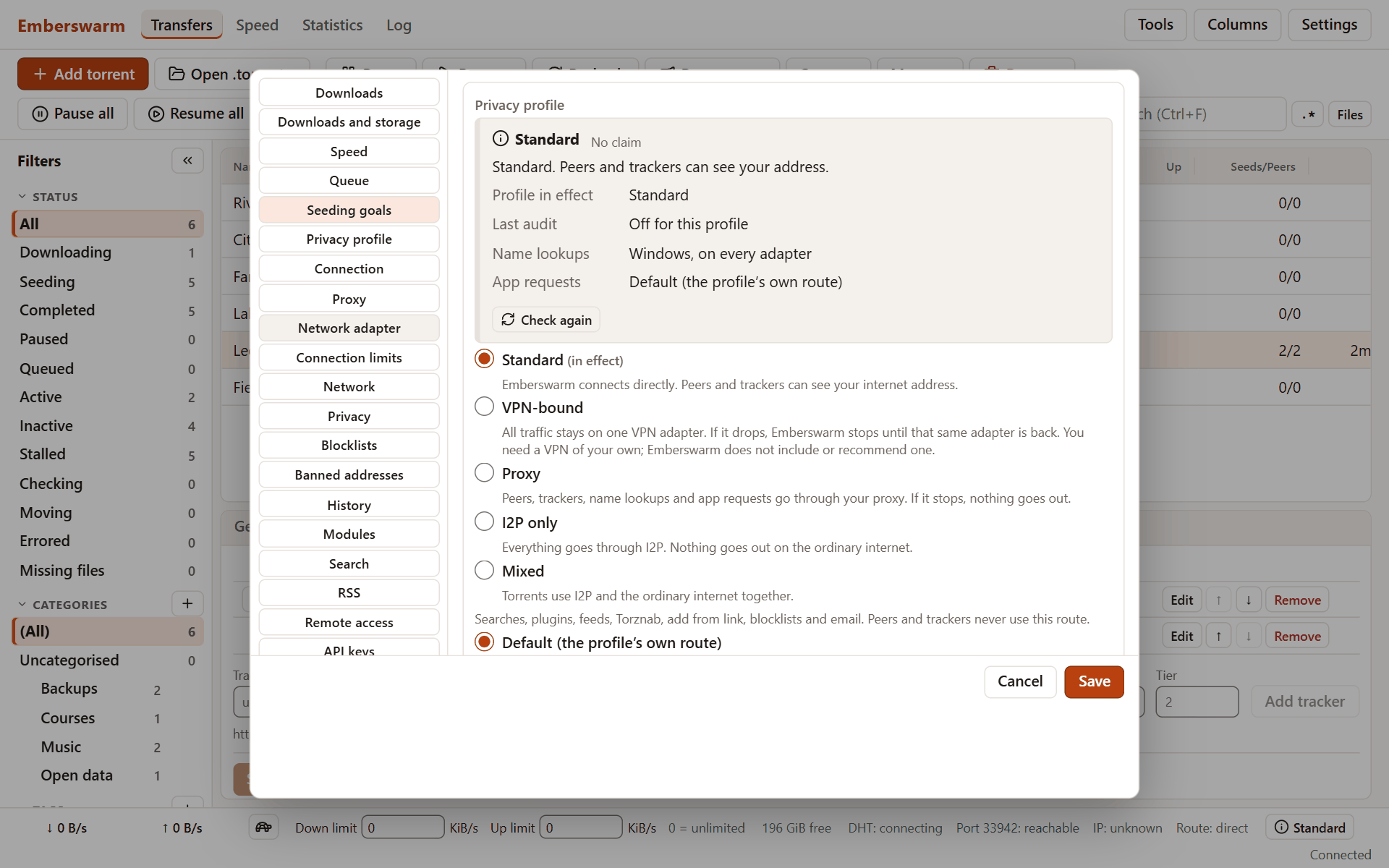
Settings, Privacy profile: Standard, VPN-bound, Proxy, I2P only and Mixed, with the current profile's status

Control it from your phone

The interface also works in any browser, sized for phones and tablets. Remote access is off until you turn it on.

  • Pair a phone on your home network by scanning a QR code
  • Password sign-in, HTTPS, an allowed-address list and login lockout
  • Download finished files to the device you are using
  • Run Emberswarm without a window, at sign-in, and manage it from a browser
  • A documented API with keys you can limit and revoke, for your own scripts
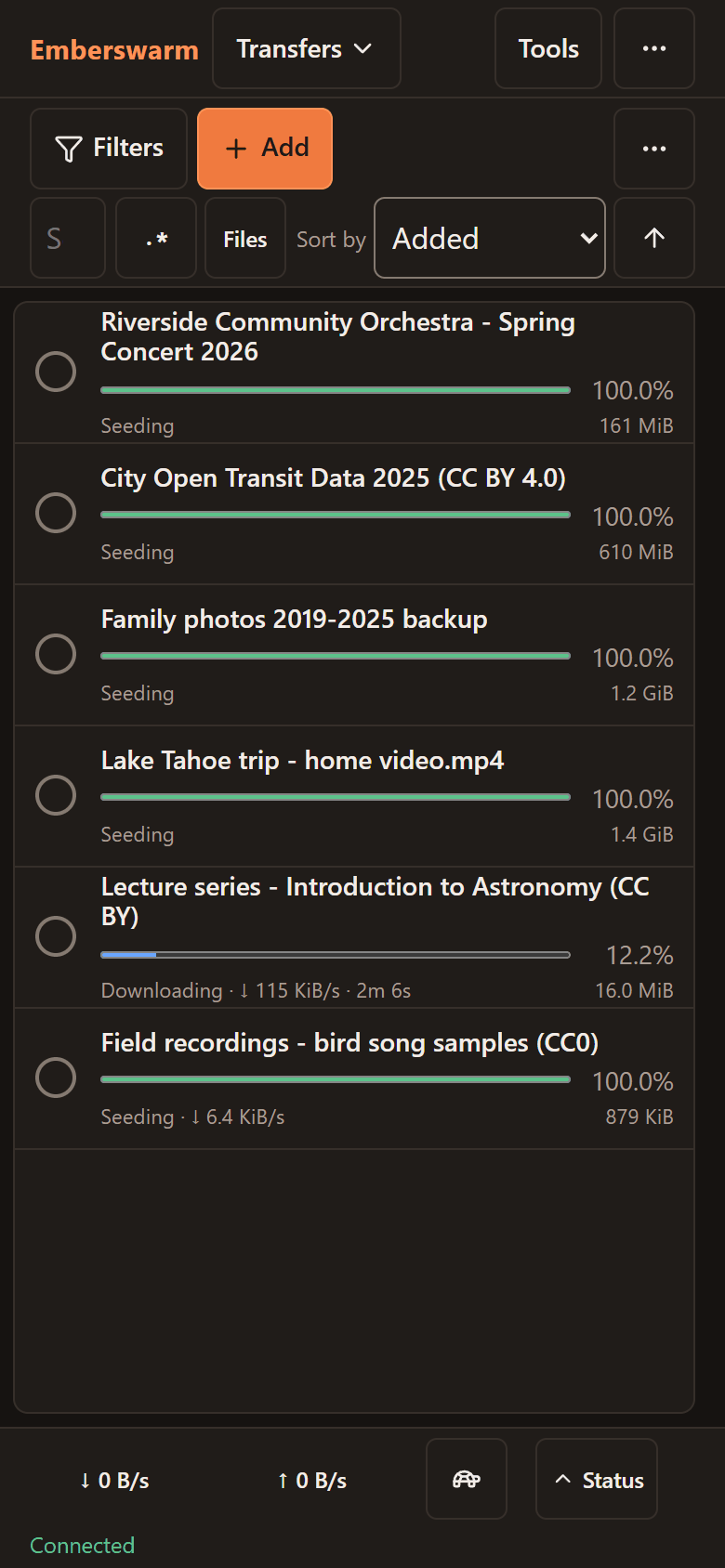
Emberswarm on a phone in dark mode: each transfer as a card with its progress

Search and RSS, on your terms

Both start switched off, and no source is preset. When you turn them on, Emberswarm contacts only the sources you picked.

  • Built-in sources for the Internet Archive, Academic Torrents and Linux and BSD releases
  • Your own Torznab indexers (Jackett, Prowlarr, bitmagnet) and qBittorrent search plugins
  • RSS feeds with download rules, episode filters and quality preferences
  • Saved searches that run on a schedule, and a log of what each rule matched and why
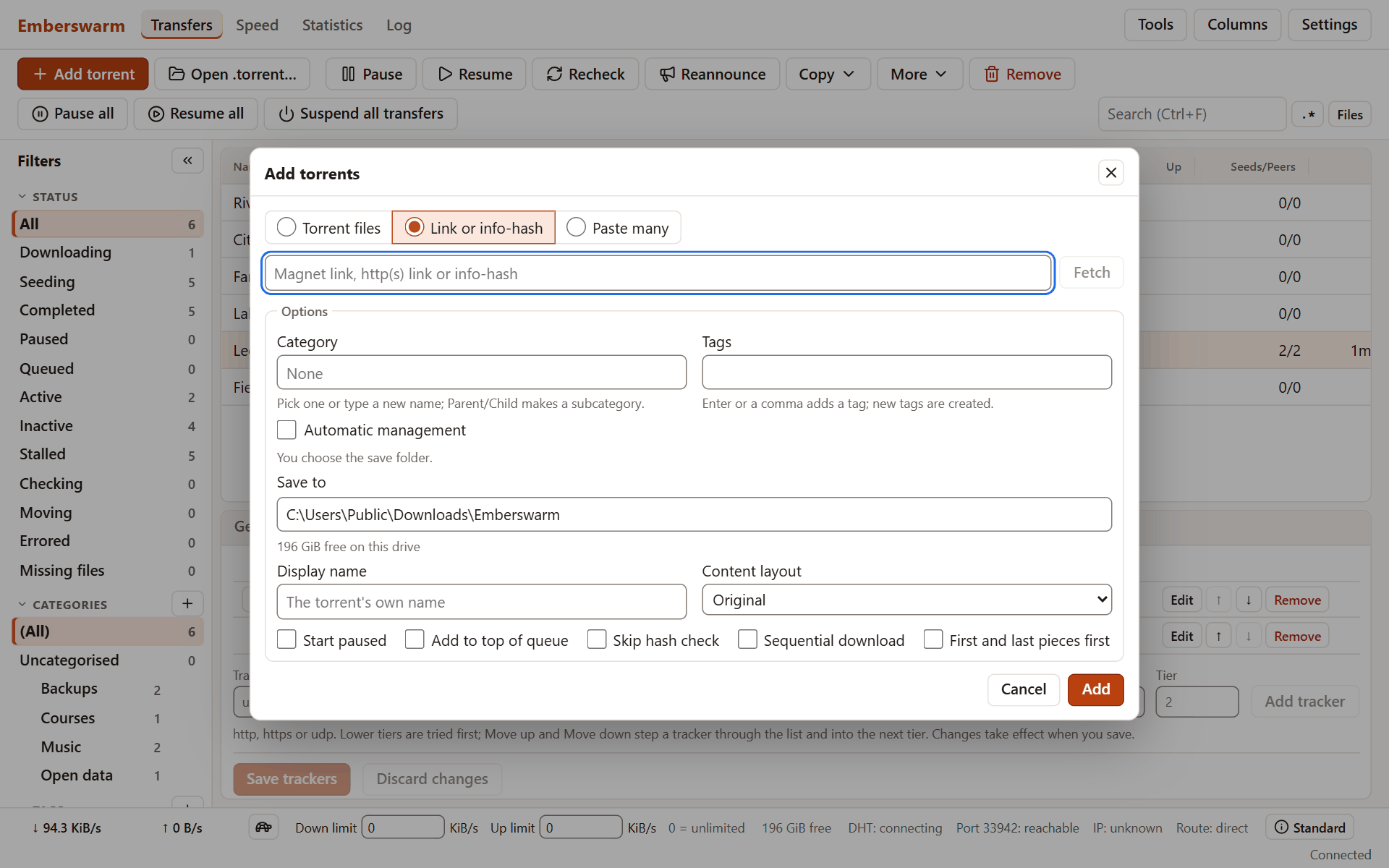
The Add torrents dialog: a magnet link box, category, tags, save folder and start options

Create torrents

Make v1, v2 or hybrid torrents from a file or folder and start seeding them at once.

Automation

Watched folders, desktop notifications, email through your own mail server, and actions when downloads finish.

See what is happening

Speed graphs, statistics, the pieces map, peers and trackers, and a log that hides addresses.

Made for everyone

Full keyboard use, screen reader labels, light, dark and high-contrast themes.

Install or carry it

Install for yourself without administrator rights, for everyone on the PC, or run the portable copy from a folder or USB drive.

Open source

Free software under the GNU General Public License, version 3 or later.

What Emberswarm sends, and to whom

Only what file sharing needs, only to the places you chose. XN3 Technologies receives nothing about you or your torrents.

Your data stays home

Downloads, settings, history and passwords stay on your computer. Passwords for proxies, mail and feeds are kept in Windows’ own protected storage.

No telemetry

No analytics, no usage statistics and no crash reports are sent. Logs stay on your PC, with addresses and hashes hidden.

An optional update check

Off unless you turn it on. When on, it asks our download server once a day whether a newer version exists and sends nothing about your PC or your torrents.

Peers can see you

Like any BitTorrent app, peers and trackers can see your IP address unless you use a VPN, proxy or I2P profile. Emberswarm says this plainly in Standard mode.

The manual lists everything Emberswarm can contact. See also our privacy policy.

Download Emberswarm

Free, with every feature. Choose the installer, or the portable copy that keeps everything in its own folder.

Installer

Version 1.0.5Released November 23, 2026Size 109 MBWindows 11 (64-bit)
  1. Run Emberswarm-Setup-1.0.5.exe. Install for yourself (no administrator rights needed) or for everyone on this PC.
  2. Emberswarm is code-signed by XN3 Technologies. If Windows still shows “Windows protected your PC” while it learns the new signature, choose More info, check that the publisher is XN3 Technologies, then choose Run anyway.
  3. Open Emberswarm from the Start menu and follow the short setup.
SHA-256 61e7cb6a7baa44258ee594749f06b743b009f182866ca6448a7175facac7c6c8

Portable

Version 1.0.5Size 162 MBWindows 11 (64-bit)

Unzip it to a folder or a USB drive and run Emberswarm.exe. It keeps your settings and torrents in that folder and changes nothing else on the PC.

SHA-256 fa09a0539124838499d3443aa5202123309618f3ee0424c9ff14787500762c41

Check a download against SHA256SUMS.txt (in PowerShell: Get-FileHash .\Emberswarm-Setup-1.0.5.exe). The component list (SBOM) names every part inside. Microsoft Defender scanned this release clean; see also the installer’s VirusTotal report. Downloads come from our server on Amazon Web Services in the United States, and we keep no download logs.

Use it lawfully. Emberswarm is for sharing files you have the right to share: your own work, open data, free software and public-domain or openly licensed media. It comes with no sources for anything else, and you are responsible for what you download and share where you live.

Questions

Is Emberswarm really free?

Yes. There is no paid version, trial, subscription or advertising. It is free software under the GNU General Public License, version 3 or later, so you may use, study, share and change it.

Do I need a VPN?

No, but without one, peers and trackers can see your IP address, as with every BitTorrent app. If you use a VPN, choose the VPN-bound profile: Emberswarm then sends nothing outside the VPN and stops if it drops. The kill switch covers Emberswarm’s own traffic, not other programs on your PC.

Can I move from qBittorrent?

Yes. Settings, Import brings over your torrents with their progress, categories and tags, so nothing has to download again.

Does it update itself?

If you turn on the update check (in the setup or in Settings, Updates), Emberswarm tells you when a new version is out. Nothing downloads or installs until you click, and every update is checked against our signature first.

Windows 10, Mac or Linux?

Version 1.0 is for Windows 11 on 64-bit PCs. It may run on Windows 10 (64-bit), but we have not tested that yet. There is no Mac or Linux version at present.

Where is the source code?

Email info@xn3tech.com and we will send you the complete source code for any version we have released, as the GPL provides.

How do I get help?

Start with the user’s manual. For anything else, email info@xn3tech.com.